


Solution for Real Estate Agents
AI for Real Estate Agents Copy that sells. Photos that impress.
Turn a few bullet points into a compelling property description. Transform an ordinary snapshot into a visual that stops buyers mid-scroll. Listing and social posts — ready the same day you sign the property.
- Listing descriptions and client emails in minutes
- Virtual staging and property photo editing
- Everything on one account — copy, photos, and client communication
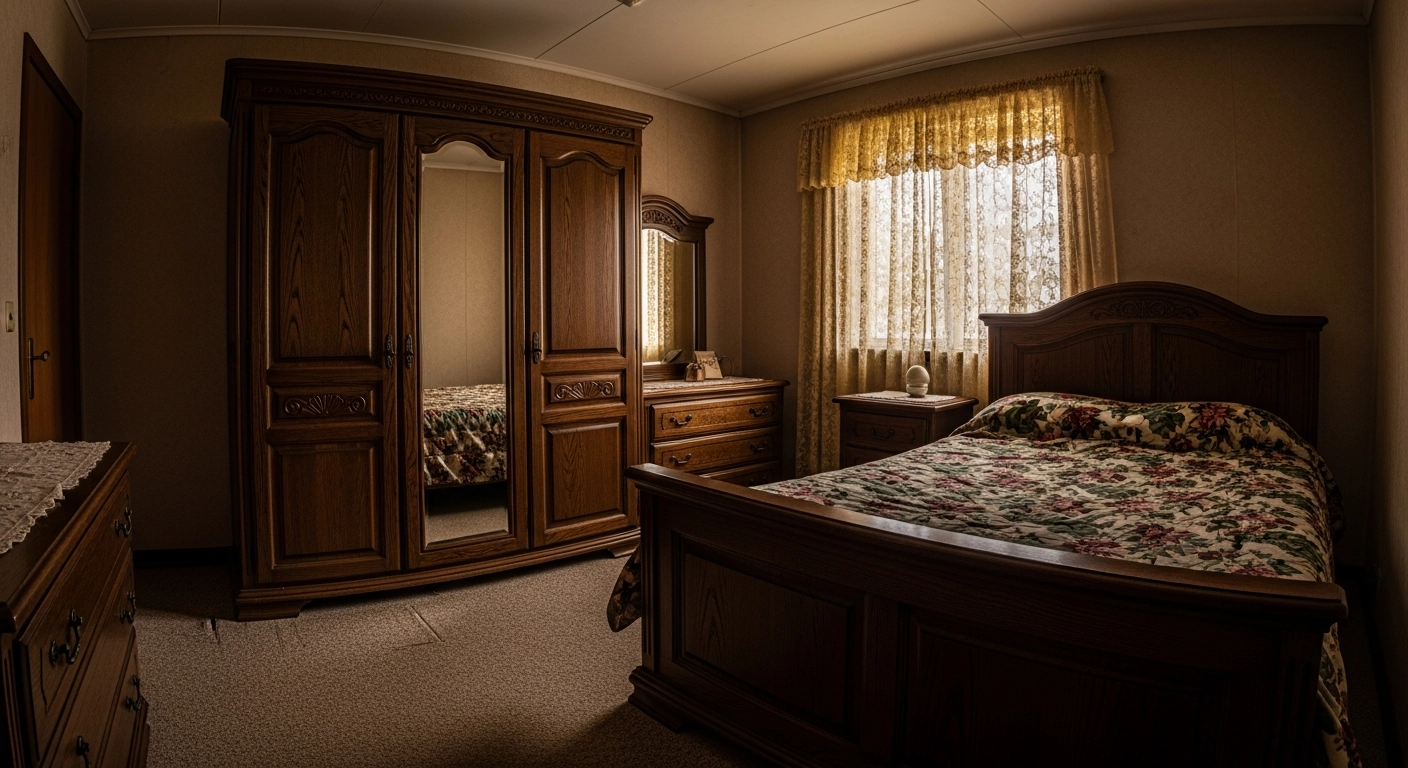
Try virtual staging — choose a room and a furniture style.
Tools in action
How agents use GuideGlare
Real situations from everyday real estate practice — and the tool that solves each one in minutes. All on one account.
AI Documents
A listing in minutes
Enter the layout, location, and a few highlights — AI turns them into a polished, readable listing ready for property portals. Switch the tone from formal to warm with a single click.
The finished copy can be trimmed into a social-media teaser or expanded with a neighbourhood guide. No blank page, no "how do I even start."
- Sale and rental descriptions
- "Coming soon" teasers
- Correct grammar and natural English
- Shorten, expand, or change tone
AI Images
From empty flat to furnished home
Virtual staging transforms bare walls into an inviting living room buyers can picture themselves in. All it takes is a phone photo and a plain-English style description.
The same command removes clutter, swaps an overcast sky for sunshine, or turns a winter shot into a summer version.
- Virtual staging for empty spaces
- Clutter and object removal
- Sky swap, summer version
- Outpainting and higher resolution
AI Chat
A professional client reply in seconds
Post-viewing follow-up, open-house invitation, or a tactful response to a hesitant buyer — AI Chat drafts the message, and you just hit send.
Upload a property photo and ask what to emphasise in the description, or let AI prepare a price-negotiation strategy for you.
- Post-viewing follow-ups
- Handling price objections
- Negotiation preparation
- Invitations and newsletters
AI Translator
Reach international buyers too
Translate property descriptions and client messages into multiple languages while keeping real estate terminology intact. One listing, a much wider audience.
A listing for expats, an email to a German prospect, or a viewing for a Spanish-speaking family — all from one account.
- Listings for international buyers
- Real estate terminology preserved
- Emails and client communication
- Dozens of languages
What you can do with AI
The full property — from copy to photo
GuideGlare AI tools cover both things that drive a property sale — persuasive copy and eye-catching visuals.
Property descriptions
Enter the layout, location, and a few highlights. AI produces an engaging, readable listing ready for property portals — or a tailored rental description.
- Sale and rental descriptions
- Neighbourhood and location guides
- "Coming soon" teasers
Client communication
Post-viewing follow-up, open-house invitation, or a request for a testimonial — AI Chat drafts the wording and advises how to handle a hesitant buyer.
- Post-viewing follow-ups
- Invitations and newsletters
- Negotiation tips
Property photo editing
Furnish an empty apartment with virtual staging, remove clutter, swap an overcast sky for sunshine, and turn a winter shot into a summer version.
- Virtual staging
- Clutter and object removal
- Summer version from a winter photo
Better framing and resolution
Outpainting widens a tight room shot, upscaling boosts the resolution of a phone photo, and colorization brings old property images back to life.
- Wider framing (outpainting)
- Resolution boost (upscaling)
- Colorization of old photos
Toolkit
Which tools you will use
Every part of a real estate deal has its own tool. All of them live in one GuideGlare account.
AI Documents
Text editor with AI: write a property description, trim it into a teaser, expand it, paraphrase, or proofread — all in one place.
Explore toolAI Images
Virtual staging, object removal with AI Eraser, photo editing by command (Nano Banana), outpainting, upscaling, colorization, and background removal.
Explore toolAI Chat
Quick replies to clients, preparation for a viewing, or brainstorming your sales strategy. Upload a photo and ask what to highlight in the description.
Explore toolAI Translator
Reach international buyers. Translate property descriptions and client communications into multiple languages while preserving real estate terminology.
Explore toolAI Detector
Check how the text reads and polish it to sound natural before you publish it in a listing or on your agency website.
Explore toolFrequently asked questions from real estate agents
Are edited photos and virtual staging acceptable in property listings?
Virtual staging and photo enhancements (such as sky replacement) are standard marketing tools. In the interest of transparency to buyers, we recommend noting in the listing description or directly on the image that it is a virtual visualisation.
Do I need a professional camera, or will phone photos do?
Phone photos are perfectly fine. AI Images can boost resolution, widen a tight room shot with outpainting, and remove clutter — so even an ordinary snapshot ends up looking polished and professional.
Can the AI write high-quality English copy?
Yes. AI Documents handles real estate terminology and natural, idiomatic English. You can also shorten, expand, paraphrase, or proofread the text until it is exactly the way you want it.
What if I do not like the virtual staging result?
You can generate as many variants as you need. In AI Images, describe how you want the room to look and re-edit the photo until you get a result you are happy with. You have full control over it.
How do I turn a winter photo into a summer version or evening atmosphere?
In AI Images, edit the photo by command — remove the snow to create a summer version, swap an overcast sky for sunshine, or shift the property into an evening mood. These are standard image-editing features, not a separate product.
Do I need to learn special prompts, or is plain English enough?
Plain English is all you need. Write something like "describe a 2-bed flat in Central London, highlight the balcony and proximity to the tube" and AI prepares a draft you can then refine. No special phrasing required.
Something missing? Get in touch.
Get started today
From sign-on to live listing in an afternoon
Property descriptions, photo editing, and client communication — all in one place. Start for free and publish your first listing today.
- Start for free
- No credit card required
- Up and running in minutes