

Remove Watermark from Photo with AI
You have a license, but the photo is “degraded” by a watermark
Have you found a perfect photo in your company archive, but an old company logo stretches across the entire image? Or did a client send you e-shop materials for which you have rights, but you physically only have access to a version with a copyright pattern over the product?
Instead of a clean visual, you’re looking at an image you can’t use. Manual retouching of watermarks – especially semi-transparent ones – is a nightmare in a classic graphic editor. It often leaves “ghosts” or blurry smudges that immediately reveal tampering with the photo.
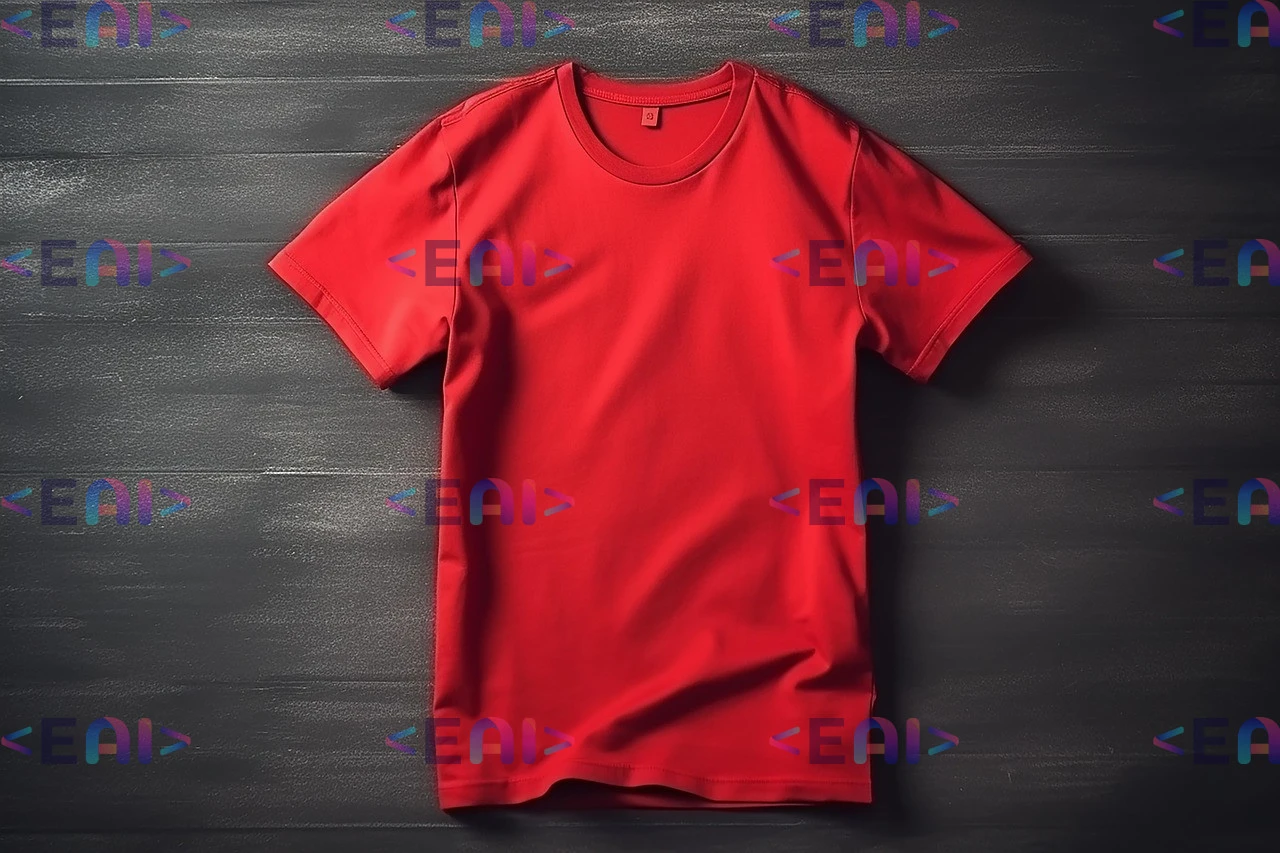
We’ll show you how to remove watermarks using AI! Here’s a small taste of the feature:
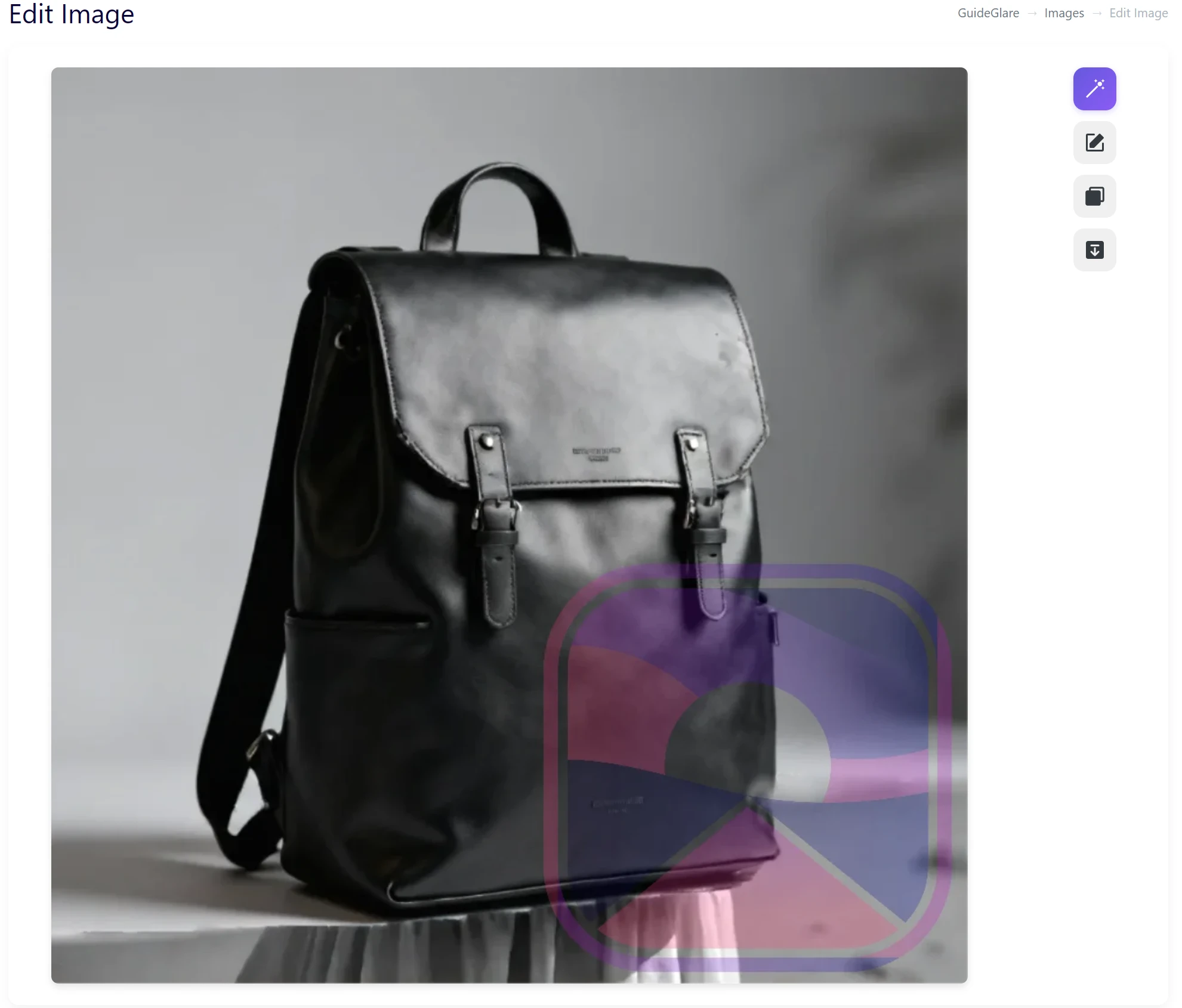
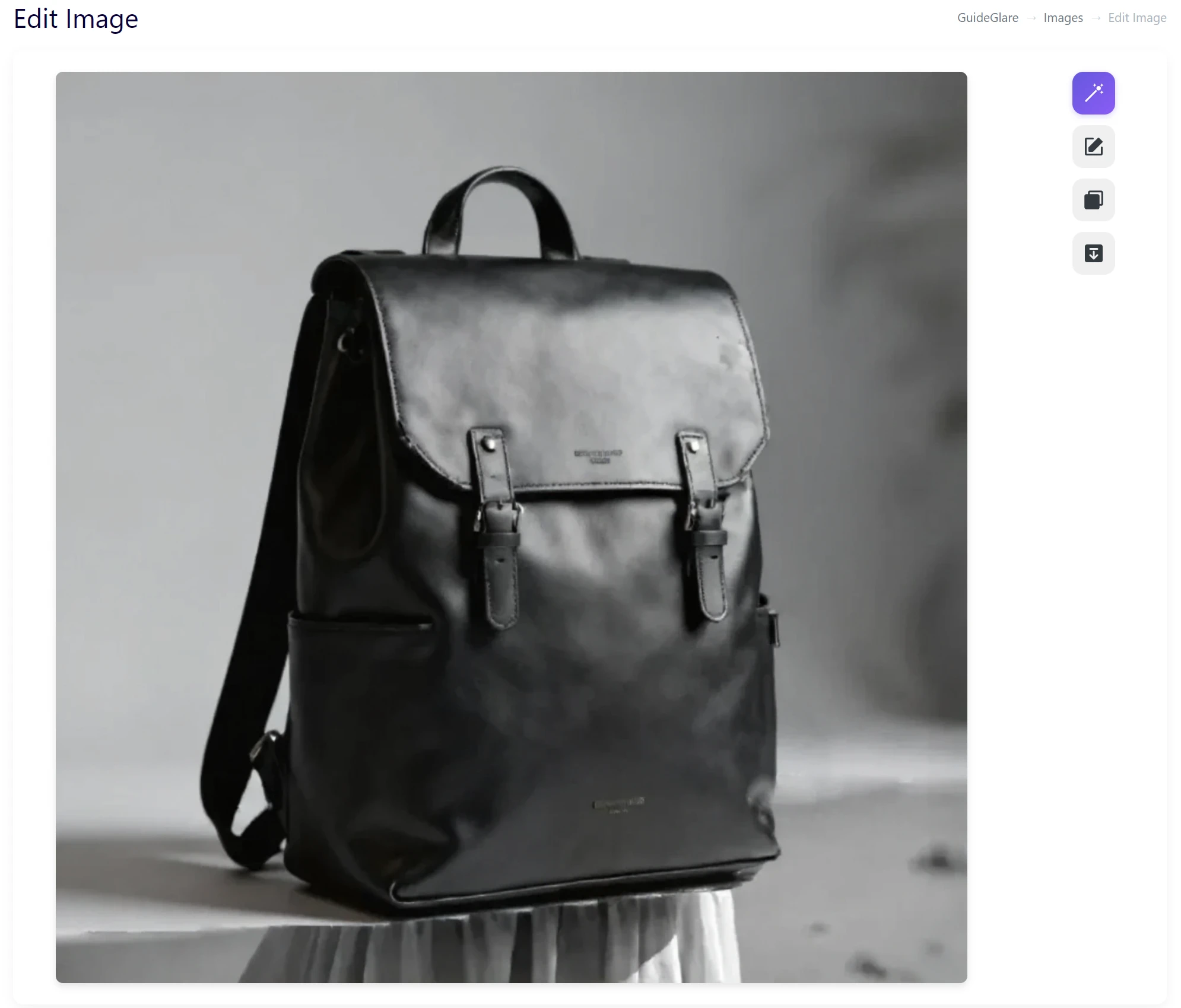
Why classic retouching isn’t enough for watermarks?
Trying to erase a logo or a repeating pattern with common tools usually fails:
- ❌ Transparency issue – Watermarks often change color according to the background, which a “clone stamp” cannot handle.
- ❌ Complex background – If the watermark extends into hair, fur, or detailed textures, manual editing is almost impossible.
- ❌ Time-consuming – Removing a pattern that repeats 20 times in one photo is hours of work.
Clean original without distracting elements
Now imagine this problem disappearing in seconds. You upload the file and get back a clean, original photograph.
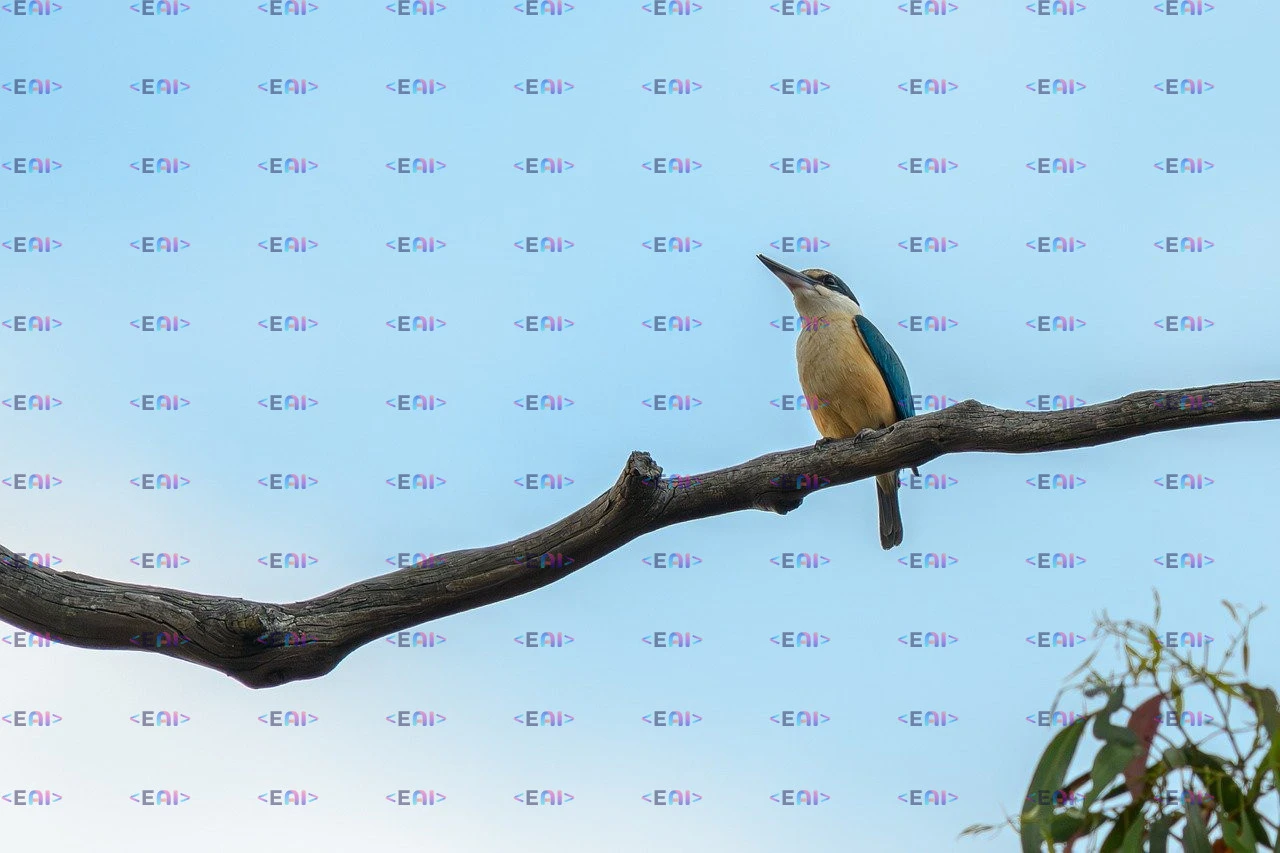
Semi-transparent logos disappear. Copyright symbols vanish. AI intelligently reconstructs the image beneath the watermark so faithfully that no one will know a mark was ever there. Your visuals are instantly ready for professional use, whether for the web, print, or a campaign.

Specialized AI designed for watermark removal
GuideGlare uses technology specifically trained to recognize patterns and branding. Unlike general tools, our AI understands what a watermark is and what is part of the object.
Thanks to advanced inpainting (reconstruction), the system can analyze surrounding pixels and “imagine” missing details beneath the removed watermark. It doesn’t matter how large the watermark is, what its transparency is, or whether it repeats in the photo.
How to remove a watermark from a photo step by step
Step 1: Upload the image with the watermark to the GuideGlare AI editor.
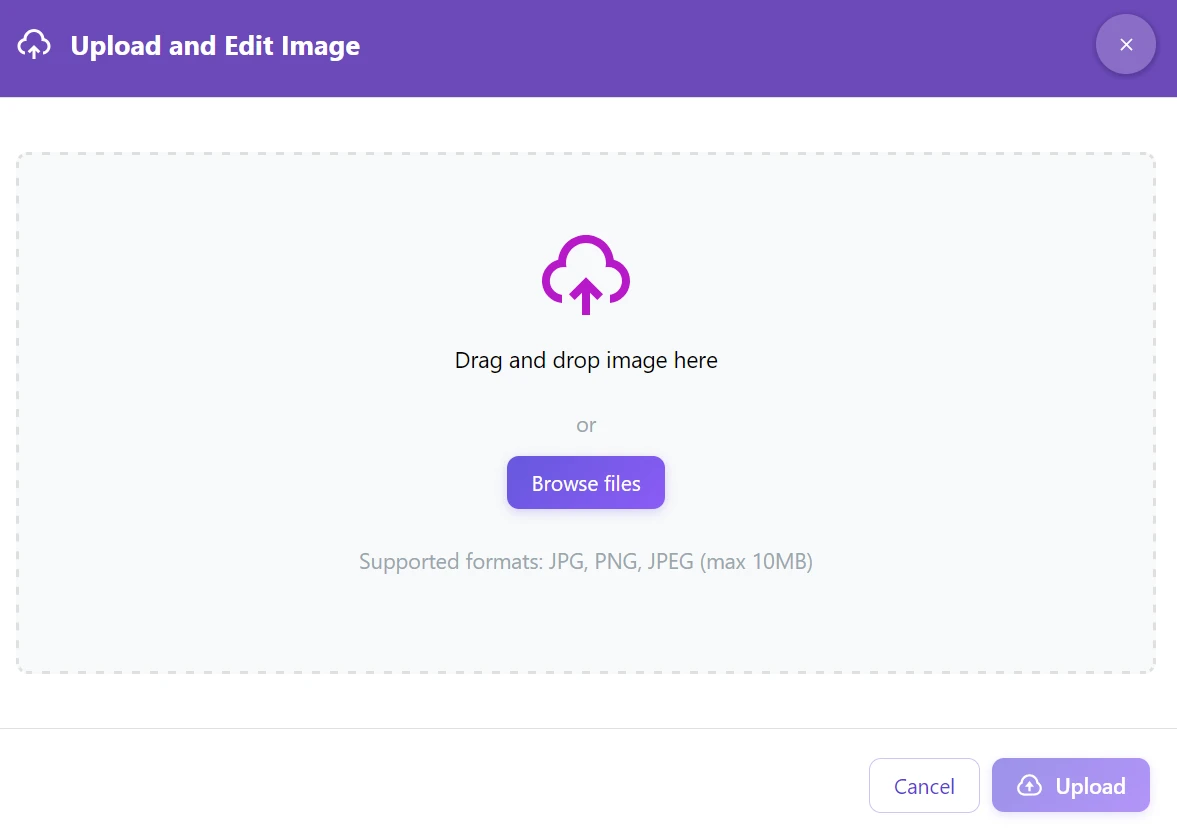
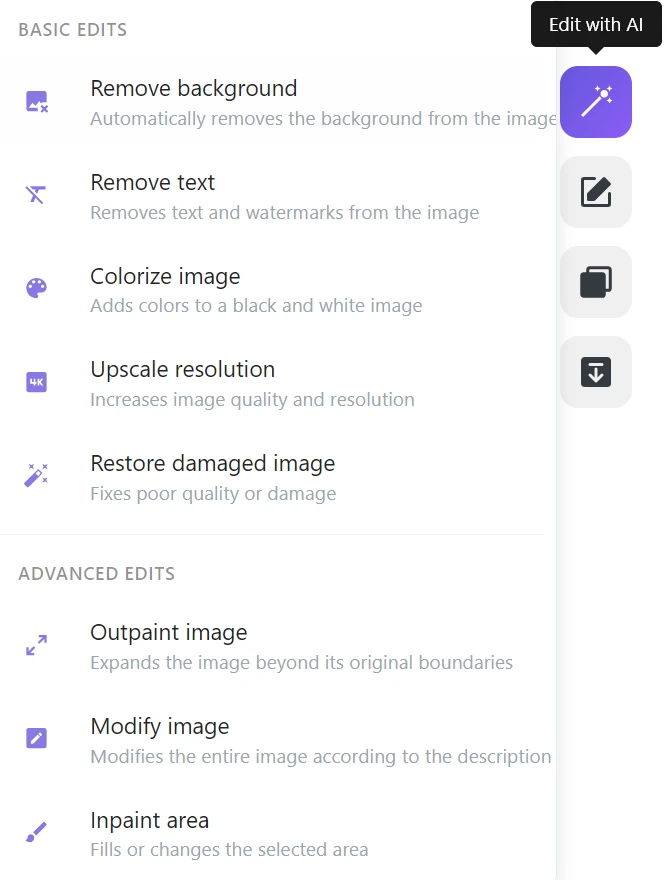
Step 2: In the tools menu, select the “Remove text” function.
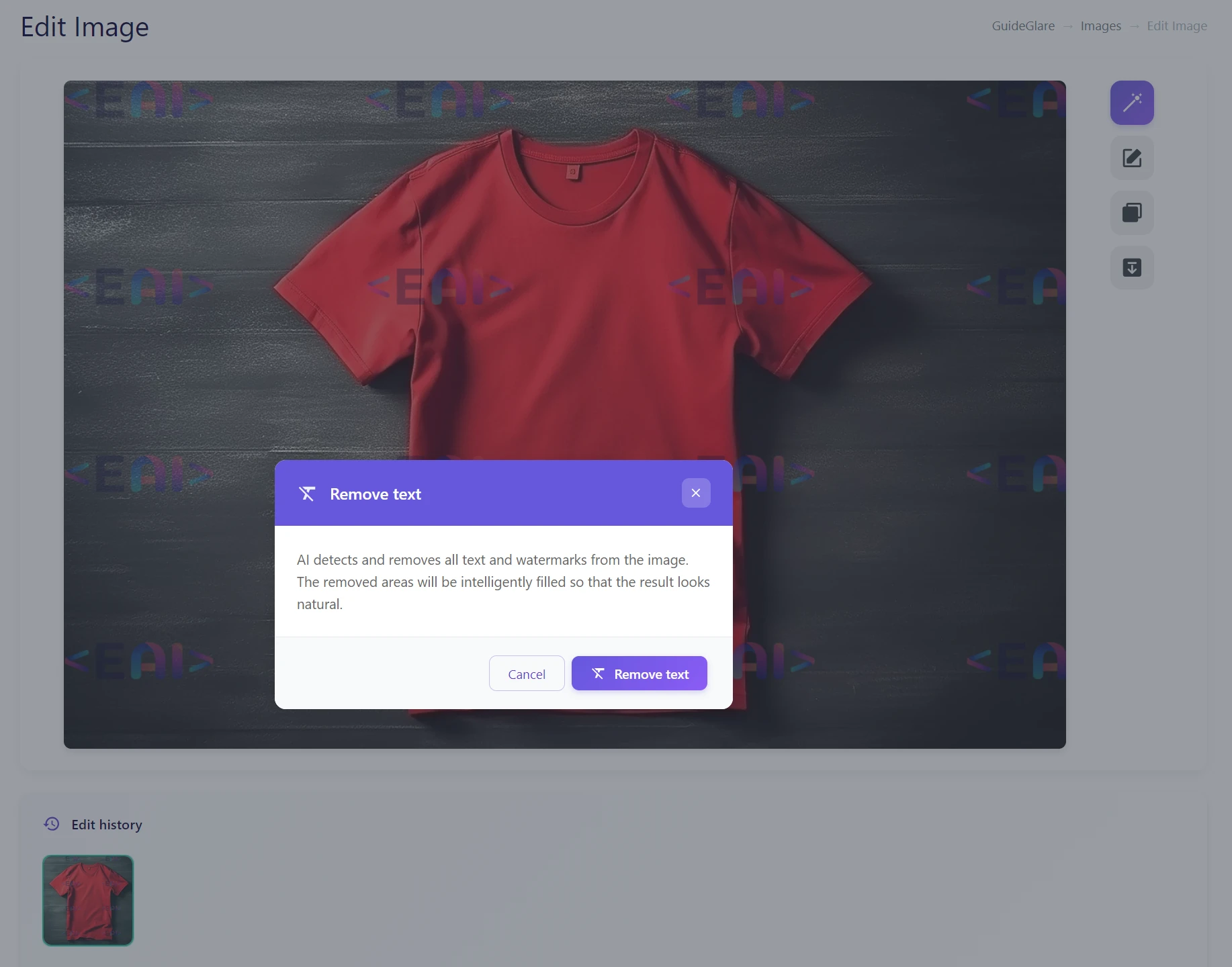
Step 3: Confirm the action. AI will clean the entire image in an instant.
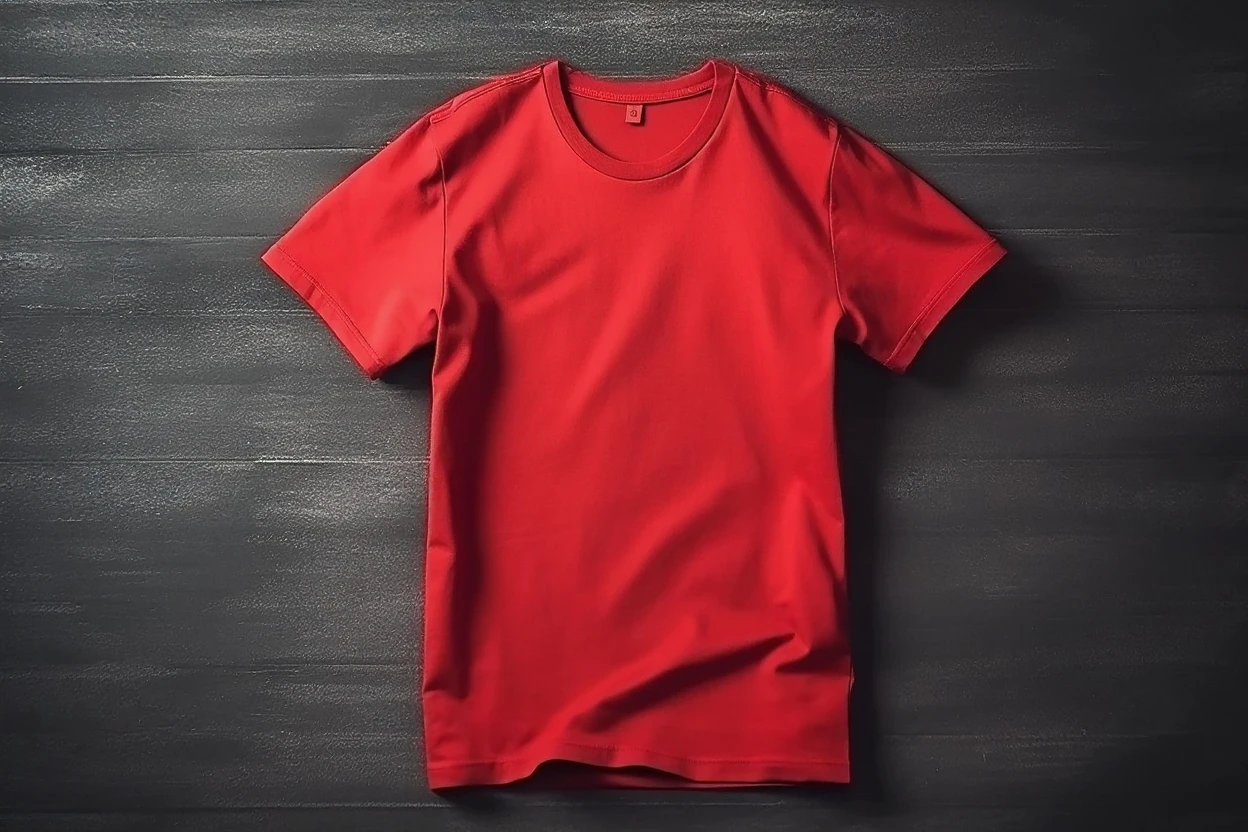
Step 4: Download the finished image without the watermark.
What can AI erase?
Our tool specializes in graphic elements that overlay the original image:
- Company logos – ideal for rebranding or using older product photos.
- Copyright patterns – repeating © symbols or author names across the entire surface.
- Semi-transparent watermarks – the toughest challenge for graphic designers, a breeze for AI.
- Stock photo logos – if you need to see a clean preview before purchasing a license.
- Blind marks and stamps – digital artifacts embedded by software.
Tip: Do you need to remove a specific date stamp or common text from a sign? For these purposes, we are preparing a special guide on text and date removal.
⚠️ Ethical note: This technology is intended for editing materials for which you have authorization (e.g., lost original, your own archive, client-provided assets). Removing protective elements from other people’s works for illegal use violates copyright laws.
Where AI will save you the most time
🛍️ E-commerce and product management
Did your supplier send you photos of a new collection but forget to remove their logo? Instead of a new product photo, just use AI and erase the logo in seconds.
🏢 Marketing and rebranding
Has your company changed its identity, but you have thousands of photos with an old watermark in your archive? AI can mass-clean them so you can reuse them with your new branding.
🎨 Graphic design
Do you need to show a client a website design with a specific stock photo, but the watermark interferes with the design’s impression? Clean up the preview for presentation (and purchase the license after client approval).

Comparison: AI vs. Manual Retouching
| Criterion | Manual Retouching | GuideGlare AI |
|---|---|---|
| ⏱️ Speed | 15–60 minutes per image | 10–30 seconds |
| 🖌️ Watermark Quality | Often leaves smudges | Clean reconstruction |
| 👁️ Transparency | Very difficult to remove | Automatic detection |
| 💰 Cost | Expensive graphic designer time | Included in subscription |
Get your clean photos back
Don’t let lost originals or old branding limit you. With GuideGlare, you can remove any watermark quickly, cleanly, and without the need to install complex software.
Try watermark removal
Upload your image and see for yourself how AI can reconstruct the graphics beneath the watermark.
Frequently Asked Questions
Is watermark removal legal?
Yes, if you own the rights to the image or have the author’s consent (e.g., when restoring your own data). Removing protective elements from other people’s works for illegal use violates copyright law.
Does it work on watermarks across the entire image (tiled)?
Yes. AI is trained to detect repeating patterns and can remove watermarks even if they cover 100% of the photo’s surface.
What if the watermark is semi-transparent?
This is an ideal scenario for our AI. It can separate the watermark layer from the underlying image and erase it without damaging the photo.
Will the quality of my photo change?
No, GuideGlare preserves the original resolution and quality of your file. Only the areas affected by the watermark are modified.