
How to Write Prompts for AI Images: The Complete Guide
Introduction: Turn Words into Art
Have you ever been captivated by AI image generators, only to type “astronaut riding a horse” and get back something… unexpected? Don’t worry — you’re not alone. Tools like Imagen, Ideogram, and Flux are incredibly powerful, but the key to harnessing them is learning to speak their language.
Think of AI as an extraordinarily talented, yet very literal, artist. If you just say “paint a house,” it might produce anything from a gingerbread cottage to a skyscraper. Prompt engineering is the art of giving that artist precise, clear, and inspiring instructions so it paints exactly the house you have in mind.
In this comprehensive guide, we’ll walk you through every step — from your first uncertain attempts to the moment AI starts fulfilling your creative vision on command. Let’s dive in!
The Anatomy of an Effective Prompt: How to Talk to AI
Imagine you’re directing a film. You wouldn’t just tell an actor “perform” — you’d hand them a script, describe the scene, the mood, and the lighting. It’s the same with AI. An effective prompt is like a great screenplay: it’s built from several key components that together create a masterpiece.
A prompt is a recipe
The better the ingredients (words) and the more precise the method (structure), the more satisfying the result will be.
The Main Ingredients of Your Recipe
Primary Subject / Scene
This is the heart of your image. Be as specific as possible! Instead of “cat,” try “a fluffy, ginger tomcat with a white chest, lazily stretching out in a patch of sunlight.”
Setting
Give your scene context and atmosphere. For example: a quiet library, a bustling Tokyo street at night, a deserted beach at sunrise, a misty autumn morning…
Lighting
Light is the soul of an image. Try “soft, diffused light,” “dramatic side lighting,” or “warm golden light of the setting sun.”
Perspective
The angle of view changes everything. Try a worm’s-eye view (for a sense of grandeur), a bird’s-eye view (for a broad overview), or an extreme macro close-up (for focusing on fine details).
Artistic Style
This is where you can really let your imagination run wild! Do you want an oil painting in the style of Impressionism, a minimalist vector illustration, or a photorealistic shot straight out of a movie?
Technical Specifications
The finishing touch for a top-tier result: “highly detailed,” “sharp photography,” “8K resolution,” “depth of field.”
Putting It All Together
The best approach is to work from most important to least. Here’s a proven template:
Main subject in setting, lighting, perspective, artistic style, technical details
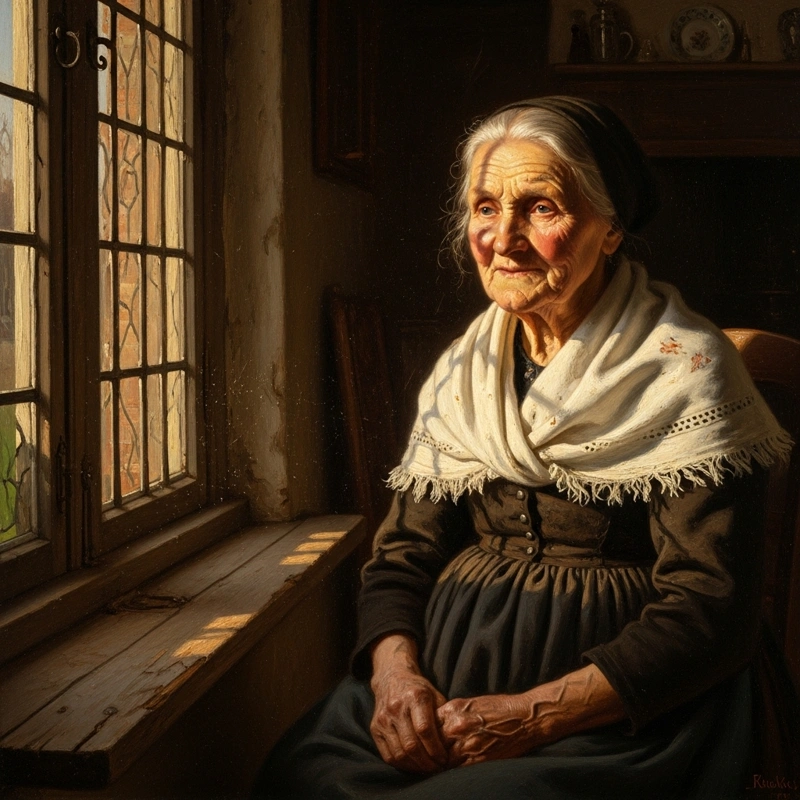
Let’s try it in practice: We want a portrait of a wise older woman.
“An elderly woman with a kind face full of wrinkles, sitting by the window of a cozy rural cottage, bathed in the warm golden light of the setting sun, close-up view, in the style of an oil painting by Rembrandt, hyper-detailed with dramatic light and shadow contrast.”
Negative Prompts: Tell AI What You DON’T Want
One of the most powerful tricks in your arsenal! Negative prompts are instructions that tell AI what to avoid. Think of them like bumper rails in a bowling lane — they ensure the ball (your result) doesn’t end up in the gutter (full of mistakes).
The golden rule
Think of a negative prompt as a "filter." It doesn't tell AI what to do — it gently removes elements that might ruin the overall impression. It's about preventing mistakes, not dictating style.
The Most Common Problems You Can Solve
Anatomical Nightmares
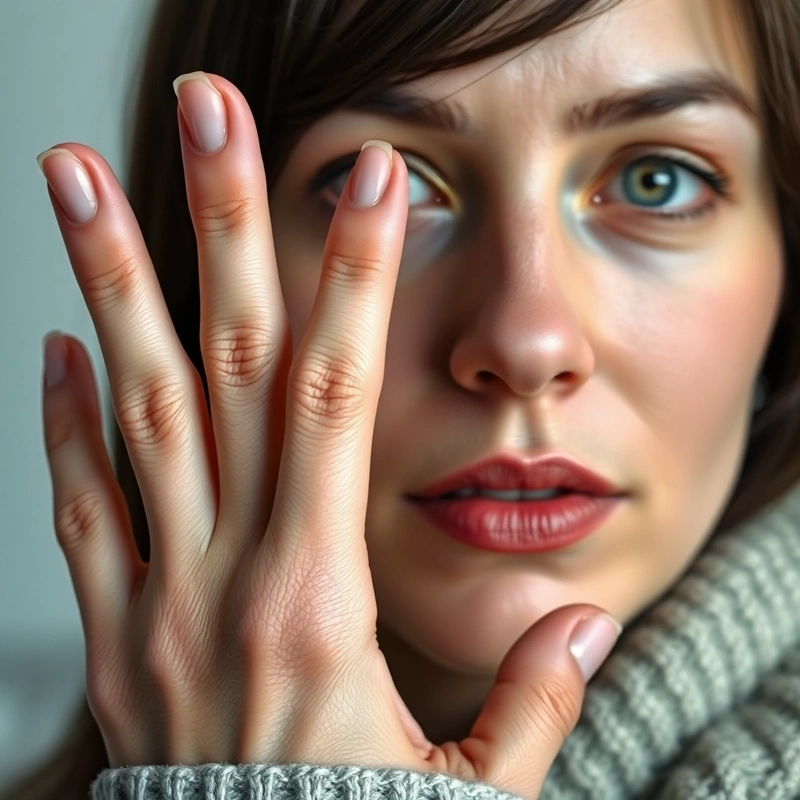
Say goodbye to six fingers and bizarre limbs!
deformed limbs, unnatural proportions, asymmetrical face, bad anatomy, bad hands, extra fingers
Visual “Noise”
For a clean, professional look:
blurry, low resolution, grainy, pixelated, bad quality, duplicated, watermark, text, signature
Compositional Chaos
Keep control of your scene:
overcrowded, chaotic composition, distracting background, poorly cropped, out of frame
Prompts by Content Type: Every Genre Has Its Own Rules
Just as a filmmaker uses different techniques for an action movie versus a romantic comedy, you should tailor your prompts to what you’re creating. Let’s look at a few key categories.
Portraits and Characters
The human face is tricky. Our brains instantly detect any imperfection, so you need to be precise.
- Focus on emotions: “thoughtful expression,” “genuine laughter.”
- Describe the light: “Rembrandt lighting,” “soft window light.”
- Define the composition: “tight close-up on the face,” “full figure in motion.”
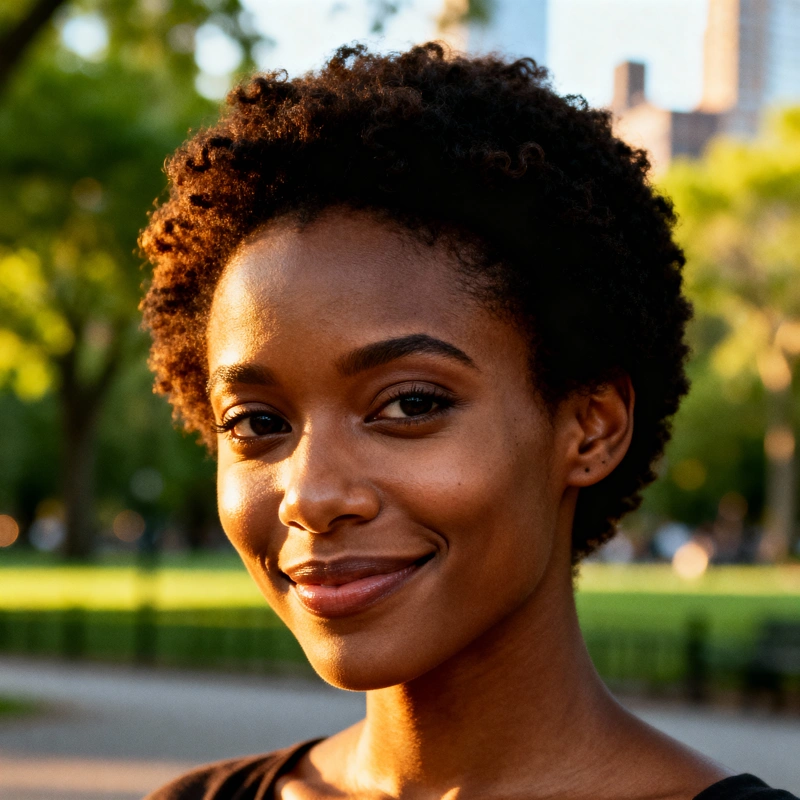
“Photorealistic portrait of a young African woman with short curly hair, looking directly into the camera with a gentle smile, warm side lighting emphasizing her cheekbones, blurred urban park background, Annie Leibovitz style, 8K, highly detailed.”
Landscapes and Environments
This is where you can really express your creativity. The key is atmosphere.
- Set the time and weather: “golden hour in autumn,” “snow-covered landscape at dawn,” “dramatic sky before a storm.”
- Create depth: Describe the foreground, the middle ground, and the background.
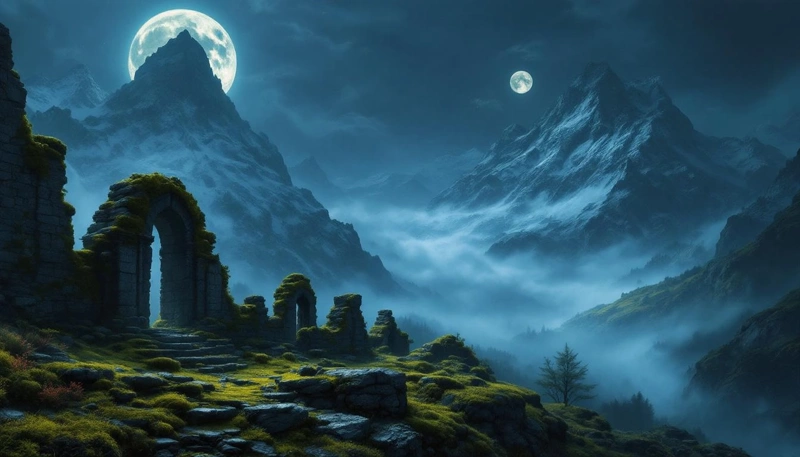
“Epic fantasy landscape, ancient moss-covered stone ruins in the foreground, mountains shrouded in mist towering in the distance, two moons glowing above them, painting style of Albert Bierstadt, atmospheric, cinematic lighting.”
Product Visualizations
The goal is clarity, precision, and visual appeal. Think like a professional photo studio.
- Background: “on a clean white background,” “on a wooden table next to a cup of coffee.”
- Lighting: “studio lighting,” “soft light from a lightbox.”
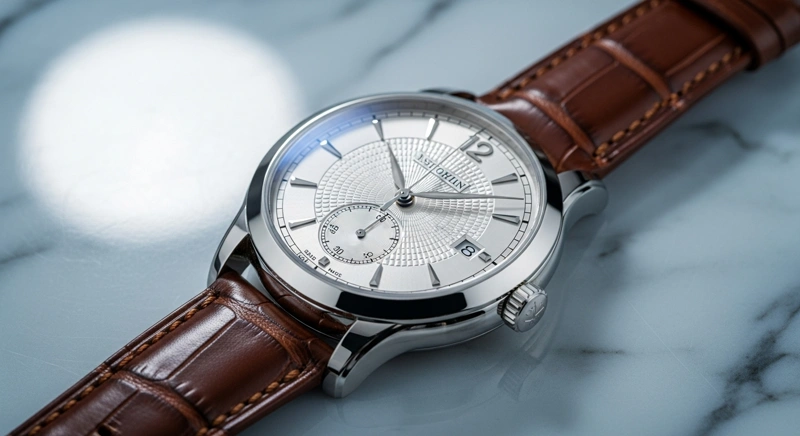
“Professional product photography of a luxury wristwatch with a silver dial and brown leather strap, resting on a marble surface, clean studio lighting, macro detail, sharp focus, 8K, photorealistic.”
Fixing Anatomy: How to Conquer the Dreaded Hands
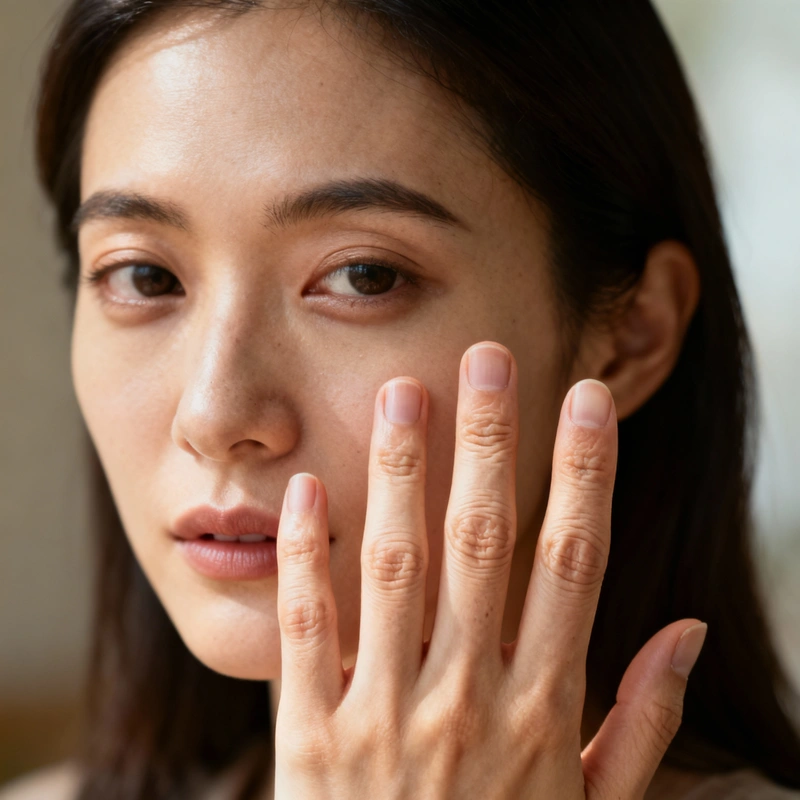
Hands. The eternal nemesis of AI generators. Six fingers, bizarre shapes, unnatural poses… we’ve all been there. But there are ways to help AI get anatomy right.
Super trick: give the hands something to do
AI handles hands much better when they have a purpose. Instead of "a standing woman," try "a woman holding a book" or "a man with his hands in his pockets." This gives the AI much clearer context.
Your Anatomy-Fixing Arsenal
1. Be explicit in your positive prompt:
Tell the AI exactly what you want to see.
anatomically accurate hands, detailed hands with five fingers, realistic body proportions, symmetrical face
2. Use a targeted negative prompt:
Ban the most common mistakes.
deformed hands, extra fingers, missing fingers, bad anatomy, disproportionate, asymmetry, ugly
3. Reference the masters:
Draw on the knowledge the AI already has.
anatomy in the style of Leonardo da Vinci’s drawings, proportions according to classical Greek sculpture
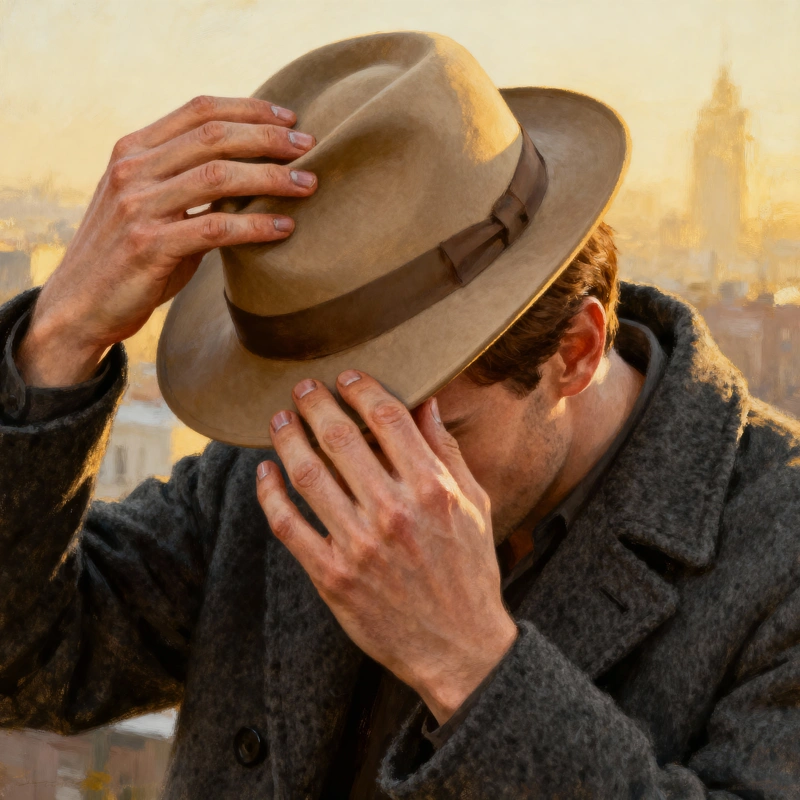
“Detailed portrait of a man holding the brim of his hat with both hands, anatomically accurate hands with five fingers on each hand, detailed knuckles and nails, photorealistic style. Negative prompt: deformed hands, extra fingers, bad anatomy.”
Consistent Style: Create Like a Pro
Want to produce a series of images for a website, a presentation, or even a comic? Visual consistency is key. Nobody wants each page to look completely different. Your images should also align with your brand voice. The goal is to build your own “style recipe” that you can use again and again.
How to Do It: Create a “Style Prompt”
A style prompt is a chunk of text you copy and paste into every prompt in a series. It should define the core visual elements:
- Artistic technique: “minimalist vector illustration,” “watercolor painting with paper texture,” “cinematic photography.”
- Color palette: “limited palette of pastel tones — light blue, apricot, mint green,” “warm earthy tones.”
- Lighting: “soft diffused daylight,” “dramatic low-key lighting with sharp shadows.”
- Overall feel: “clean and modern,” “retro and nostalgic,” “playful and cute.”
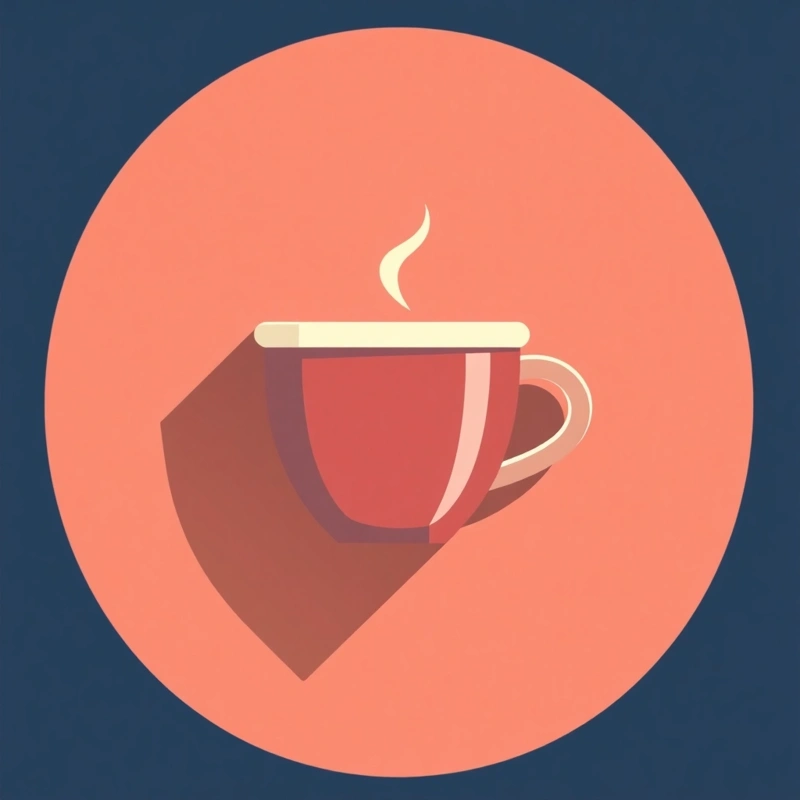
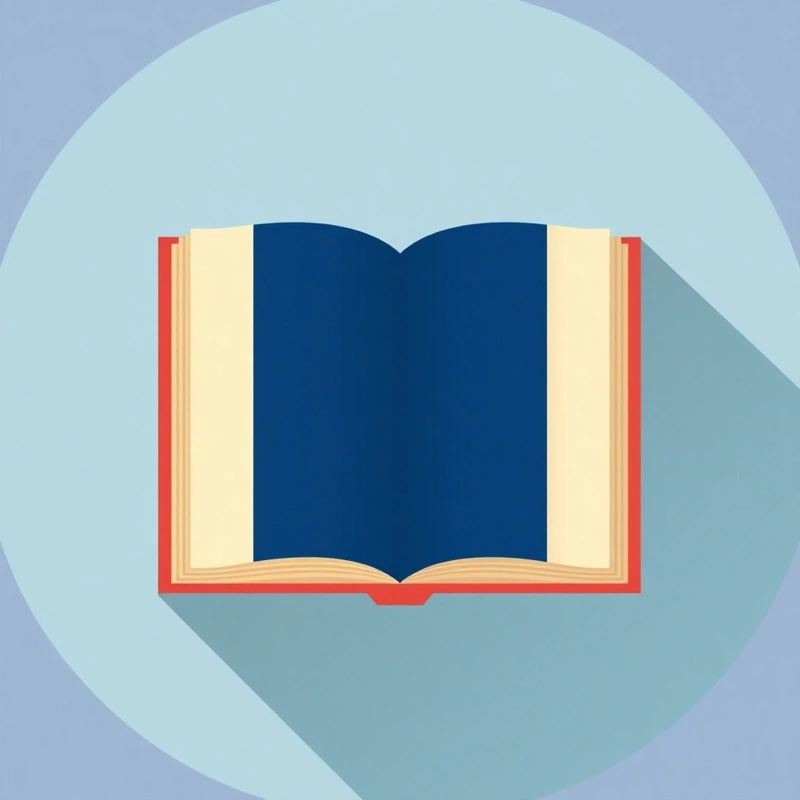
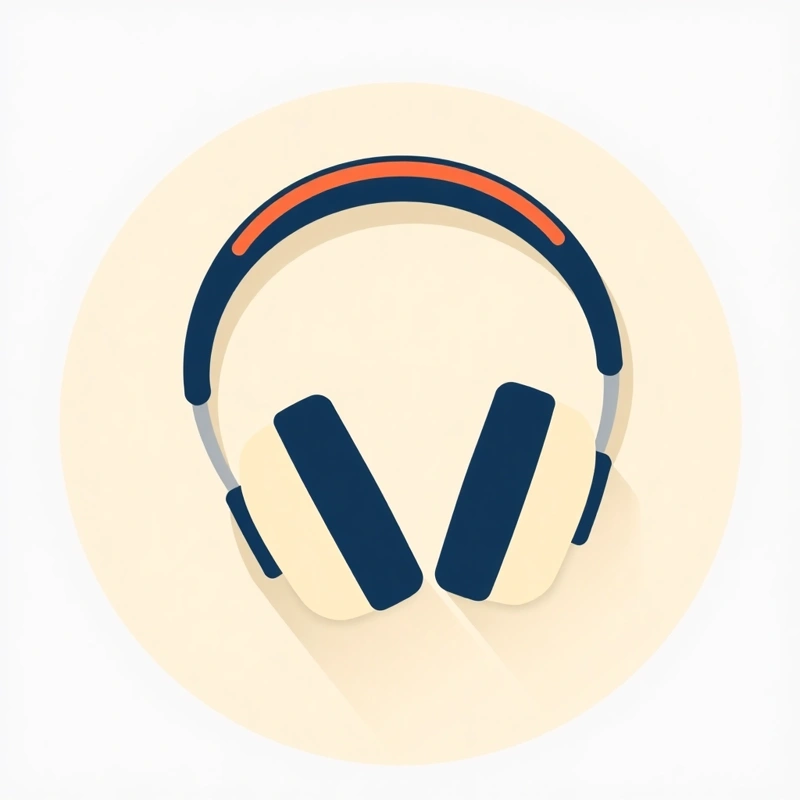
Example style prompt for an icon series:
…, flat design icon, subtle long shadows, limited color palette (navy blue, coral, cream), on a circular background.
You then simply add your specific subject to this “recipe”:
“A coffee cup, flat design icon…” “An open book, flat design icon…” “Headphones, flat design icon…”
The result is a perfectly cohesive set:
Conclusion: Your Journey to Mastery Starts Now
Congratulations! You’ve just completed a crash course in the art of AI image creation. Remember: every great result is a combination of knowledge, creativity, and a little experimentation. Don’t be afraid to make mistakes, try wild ideas, and gradually develop your own style.
Key Takeaways
- Structure is your foundation: Always start with the subject, then add setting, lighting, and style.
- Negative prompts are your friends: Actively prevent mistakes before they happen.
- Every genre has its specifics: Tailor your approach for portraits, landscapes, and product shots.
- Anatomy can be tamed: Be specific and give your subjects something to “do.”
- Consistency is professional: Build a “style recipe” for image series.
- Practice makes perfect: The best way to improve is to generate, generate, and generate some more.
Recommended Workflow for Every Project
- Vision: What exactly do I want to create? What feeling should it convey?
- Build the prompt: Assemble your base prompt using our “recipe.”
- Filter: Add negative prompts to eliminate typical mistakes.
- Generate: Create several variations and analyze what works best.
- Refine: Adjust your prompt based on the results and try again. Repeat until you’re satisfied.
- Final touches: Don’t hesitate to polish the final image in a graphic editor!
Now you have all the tools you need. Open GuideGlare AI Images and get started!
Ready to Create?
GuideGlare AI Images is an advanced AI image generator and editor featuring Flux, Imagen, Stable Diffusion, Ideogram, and SeeDream — all in one place.