

Free AI Paraphrasing Tool – Rewrite & Rephrase Text Online
Find different words for the same idea. Paste a sentence, a paragraph, or an email and get a suggested new wording. Fine-tune the result with one-click synonyms – free and no sign-up.
4.8/5 (1,840 ratings)
A quick rewrite with the free paraphrasing tool, or more options for your writing?
Rephrase a sentence or paragraph right here on the website. With a Free account, you can try basic paraphrasing and other text tools. For working with tone, length, and more text variants, paid plans offer all 8 rewriting modes.
| Without an account | GuideGlare Free | Paid plans | |
|---|---|---|---|
| Access | No sign-up needed | Free account | AccountPricing |
| Usage volume | 3 texts per day | Based on available credits | More credits, depending on plan |
| Working with text | Texts up to 125 words | Basic edits | Advanced edits |
| Basic paraphrasing | 1 standard mode | Basic mode | Full version |
| Eight rewriting modes | Limited | ||
| Tone change | Limited | ||
| Shortening or expanding text | Limited | ||
| Splitting long sentences | Limited | ||
| Idiom edit suggestions | Limited | ||
| Side-by-side mode comparison | Limited | ||
| One-click synonyms | Limited | ||
| Text history | Limited | ||
| Save as a document | Limited | ||
| Full feature set | |||
| Credits included in plan | Uses no credits | Basic bundle | Larger bundle, depending on plan |
Choose the wording that fits your text
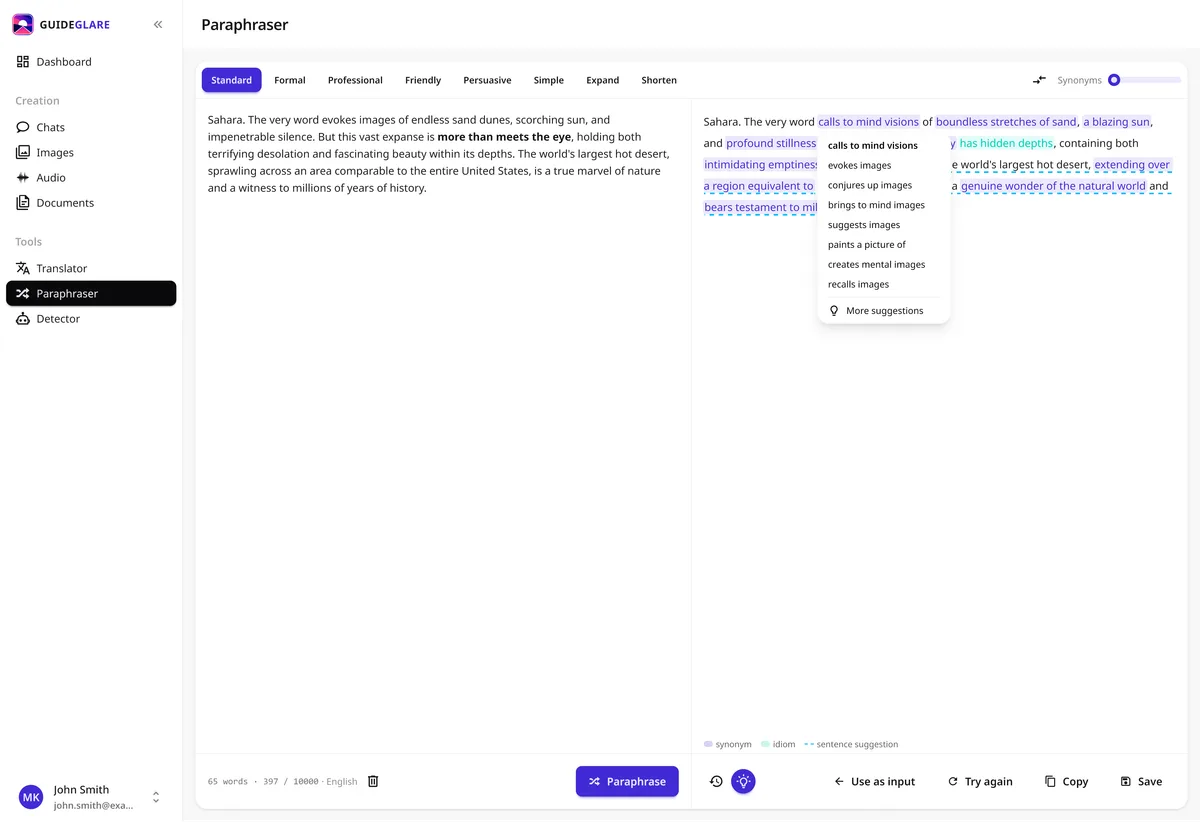
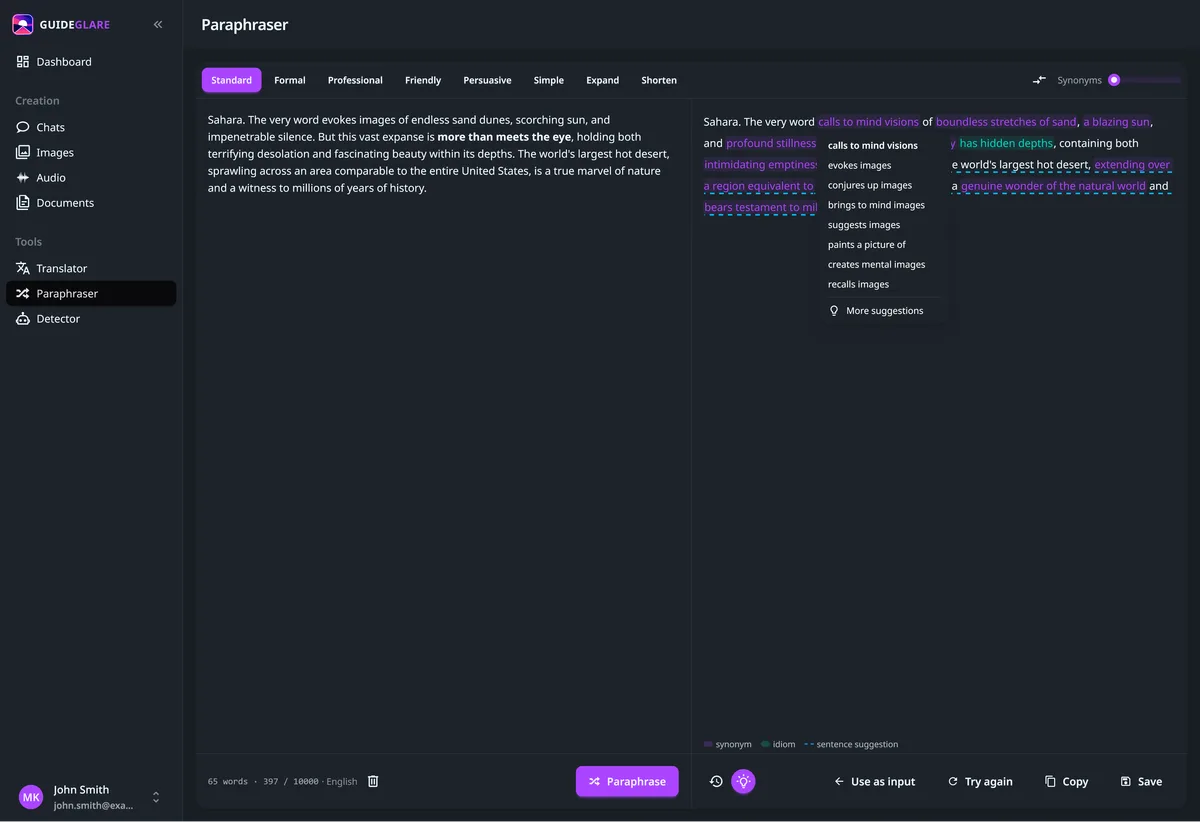
Shorten a wordy paragraph, change the tone of a message, or compare different versions side by side. The full paraphraser in paid plans offers 8 rewriting modes and more ways to edit your text.
How to rephrase text for free
- 01
Paste your text
Copy the sentence or paragraph you want to reword and paste it directly into the field above – no account and no installation needed.
- 02
Free and no sign-up
No registration or payment required. Rephrase up to 3 shorter texts per day for free, right in your browser.
- 03
Fine-tune and copy
Click a word to choose a suitable synonym. Check that the new wording says what you meant, then copy the finished text wherever you need it.
Online paraphrasing tool that rewrites text for you
Not sure how to say a sentence differently? Get a suggested new wording and fine-tune it your way. Handy for emails, product descriptions, and paragraphs where the same words keep repeating.
AI paraphraser
Artificial intelligence rewrites the text so it reads naturally and keeps the original meaning – not a mechanical word-for-word synonym swap.
Free online paraphrasing tool
No installation or payment. Paraphrasing happens right in your browser, on desktop or mobile, whenever you need it.
Rewrite and reword text with no sign-up
No account or login needed. Paste your text and the rephrased version appears instantly.
One-click synonyms
Rewritten words are highlighted in the result. Click them (or any other word) to choose a better synonym right inside the text.
Paraphrasing in your language
Find new wording directly in your language. Adjust the suggestion to your own style and pick better words from the synonyms right in the result.
AI text rewriter and editor
It is more than a paraphraser: the AI understands your text, so it can clarify and improve it. Shortening, expanding, and tone changes are available in the AI editor inside the GuideGlare app.
When to use a paraphrasing tool
Paraphrasing is useful any time you need to express the same idea differently – more clearly, more concisely, or simply in your own words.
Essays and academic papers
Reword sources in your own words for term papers, undergraduate essays, or dissertations. Always cite your sources, though – the paraphraser helps with phrasing, it does not replace citation.
Emails and messages
Rewrite an email or message so it sounds professional, polite, and clear. Just paste the text and pick a better phrasing.
Marketing and SEO copy
Create multiple variations of product descriptions, posts, and headlines without repeating the same phrases – and reach a broader audience.
Simplifying complex text
Convert technical or formal writing into plain language that any reader can understand.
Removing repetition
Avoid using the same words and phrases over and over. The paraphraser finds a different way to say it and refreshes your writing.
Social media posts
Turn one piece of text into several versions for different platforms – fast and in your own words.
A free QuillBot alternative in your language
Looking for a QuillBot alternative to rephrase text in your language? Try the GuideGlare paraphraser right in your browser: paste your text, review the new wording, and fine-tune it with synonyms. No account needed.
Free and no sign-up
You don't need an account for basic paraphrasing: process up to 125 words per use, up to 3 times a day.
Working with text in your language
Rephrase an email, product description, or paragraph in your language and adjust the suggestion so it matches what you want to say.
One-click synonyms
Click a word and choose from the suggested synonyms right in the result.
Works directly in your browser
No installation or browser extension – on desktop or mobile, whenever you need to rewrite text.
Start with a single sentence or paragraph. You will see how the same idea can be expressed differently.
Explore more AI tools
Some are free to try right now; others are part of the GuideGlare platform.
AI Chat
Ask anything and get instant answers, free with no sign-up.
Try for freeAI Translator
Translate text into dozens of languages, no sign-up needed.
Try for freeAI Detector
Check whether a text was written by artificial intelligence.
Try for freeAI Documents
An AI editor that expands, shortens, and changes the tone of your text.
Learn moreAI Images
Generate and edit images directly in the app.
Learn moreMore free AI
A hub of all GuideGlare free AI tools in one place.
View allFrequently asked questions about the paraphrasing tool
Is the paraphrasing tool really free?
Yes. On this page you can rephrase 3 texts per day for free, each up to 125 words, with no sign-up and no credit card. In the app, you can start with a Free account, which includes basic paraphrasing and a bundle of credits for AI tools.
How does the paraphrasing tool work?
It runs directly in your browser with no sign-up or installation. Paste your text and the AI rewrites it in your own words while preserving the original meaning.
Do I need to register?
No. To paraphrase on this page, just paste your text into the field above. You only create an account when you want to try other AI tools in the GuideGlare app.
What is paraphrasing?
Paraphrasing means expressing the same idea in different words. You rewrite a text in your own words – keeping the meaning but changing the phrasing, tone, or complexity.
What is a paraphraser or paraphrasing tool?
A paraphraser (also called a paraphrasing tool, rephraser, rewriter, or AI rewriter) is a tool that rewrites text in different words – people often search for it simply as “rephrase” or “reword”. Common search terms for the same idea include sentence rephraser and paragraph rewriter. This page is exactly that: paste your text and the AI rewrites it in your own words, free and with no sign-up.
Is this a free alternative to QuillBot?
You can use GuideGlare as an alternative for rephrasing text: you get a suggested new wording and one-click synonyms. For free, you can process 3 texts per day of up to 125 words each. It does not offer an identical feature set, and this is not a comparison of the quality of results from the two tools.
Does the paraphrasing tool offer synonyms?
Yes. Rewritten words are highlighted in the result, and clicking them shows synonym options. You can also click any other word to swap in a better alternative directly in the text.
Can I use the paraphraser for essays or academic papers?
The paraphraser helps you express ideas in your own words and improve clarity. For academic work, always cite your sources – paraphrasing itself is not plagiarism, but using uncredited source content is. The tool is for better phrasing, not for hiding someone else's work.
What does it mean to rewrite or edit text with AI?
An AI rewriter does not just swap words for synonyms – it understands the whole sentence and rewrites it so it reads naturally while keeping the meaning. In the GuideGlare app the AI can also shorten, expand, or change the tone of your text.
What languages does the paraphrasing tool support?
This web tool is built primarily for rephrasing text in your language – it understands the nuances of your language and responds naturally. The GuideGlare app also handles working with texts in other languages.
How long can the text be?
The web paraphraser is ideal for shorter pieces – sentences, paragraphs, and emails (roughly up to 125 words). For longer documents and continuous text, use the AI editor in the GuideGlare app.
Can I change the tone and style of the text?
The web paraphraser rewrites text in one standard mode. Tone and style changes (formal, professional, simpler, concise, friendly) and side-by-side version comparison are available in the GuideGlare app.
Does the paraphrasing tool work on mobile?
Yes, the interface is fully responsive and works on phones, tablets, and desktops. No app download needed – just a web browser and an internet connection.
How much does the paraphrasing tool cost?
The web paraphraser is free. You can also start using the app for free with the Free plan and a basic bundle of credits shared across AI tools. The available volume depends on your usage and remaining credits; once they run out, you need more credits to keep working in the app. Paid plans add more credits and the full feature set. See the pricing page for details.
What is the difference between the web paraphraser and the GuideGlare app?
On the web, you can quickly rephrase a short text and pick synonyms without an account. In the app, you start with the basic mode on the Free plan. Paid plans add 8 rewriting modes, version comparison, history, and saving the result as a document.
Something missing? Get in touch.
From a single sentence to more ideas for your writing
Prepare emails, product descriptions, and posts with the help of GuideGlare AI tools. Create a free account and get started with the text features of the Free plan.
Start writing with a Free account